The tracker your agent works.
Not a board you drag cards across. Your AI files the bug, claims the next task, does it, and closes it — and you read the same board, triage what it flags, and say what's next. Seventeen tools, one work loop.
$15 a month, and it isn't just this app — every Parsons product is on the same subscription. Cancel any time. Nothing is purged without a confirm, and an intake key can only write, so the people who report in can't read your board.
File it. Claim it. Close it. Read the board.
Make a project.
PLAT, SITE, CLIENT-A — a key, a name, and the statuses you want. Your AI can make it too.
Start a project for the website relaunch, key SITE.Paste one link into your AI.
Your account comes with one private address. Paste it into Claude, ChatGPT or Cursor once, and Tracker's tools are there. No AI of your own? The console has chat built in.
https://mcp-hub.parsons.ai/p/prof_••••••••/mcpLet the agent work the loop.
next_work hands your AI the highest-priority unblocked item and claims it. It does the work, comments, and closes — then asks for the next one. Two agents never take the same task.
Work the SITE backlog until it's empty.next_workSITE · claim_firstSITE-18 claimedcommentfix summary, 3 linesdoneresolveSITE-18 → donedonenext_workSITESITE-19 claimedLet people report in.
An intake key is write-only. Put it in a form, a bot, an email rule — reports land in the backlog, deduped, and the reporter never sees your board.
Give the support form an intake key for CLIENT-A.A work loop, a board, and a door for reports.
Items with priority, status and an owner
Bugs, features, chores. Priorities that mean something because the agent works them in order.
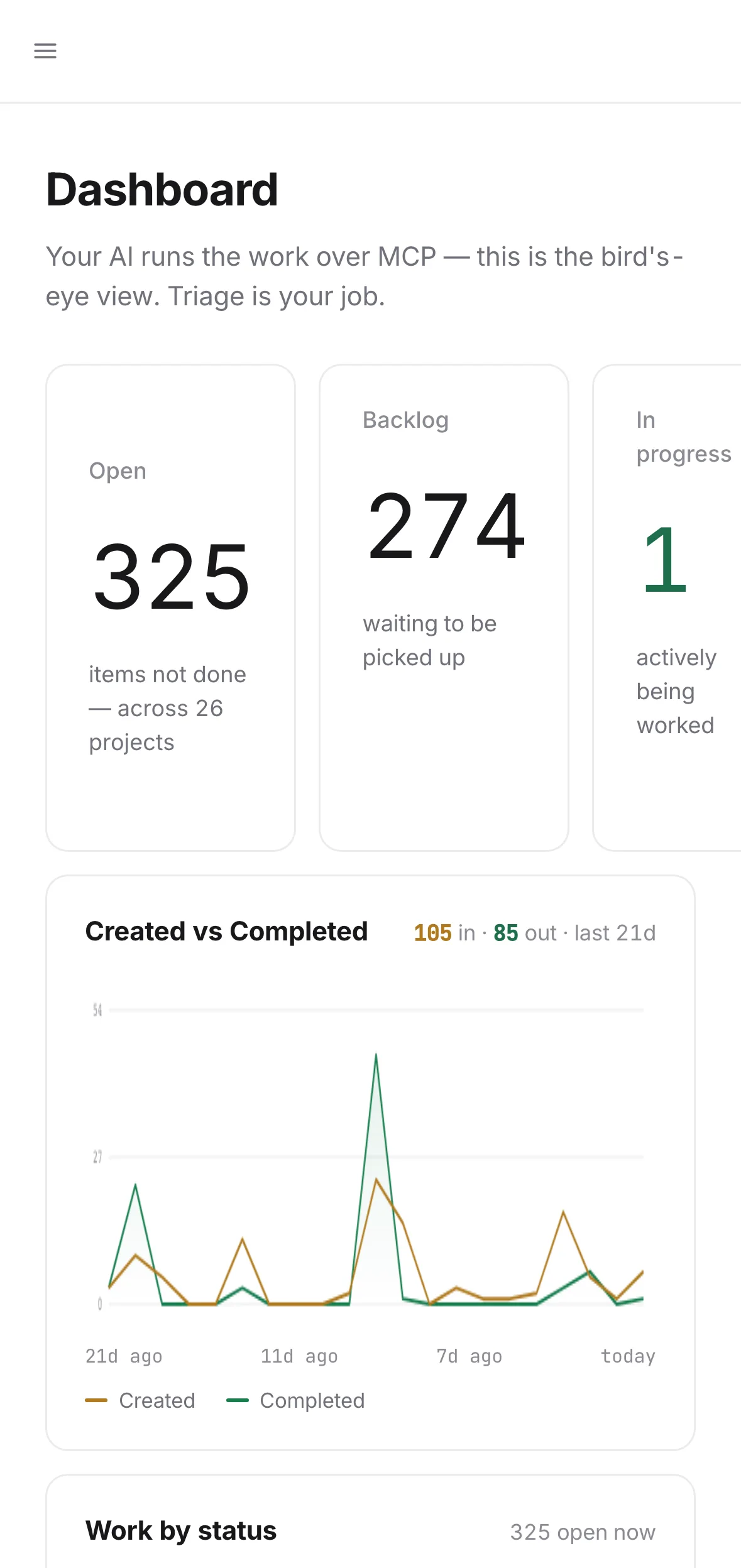
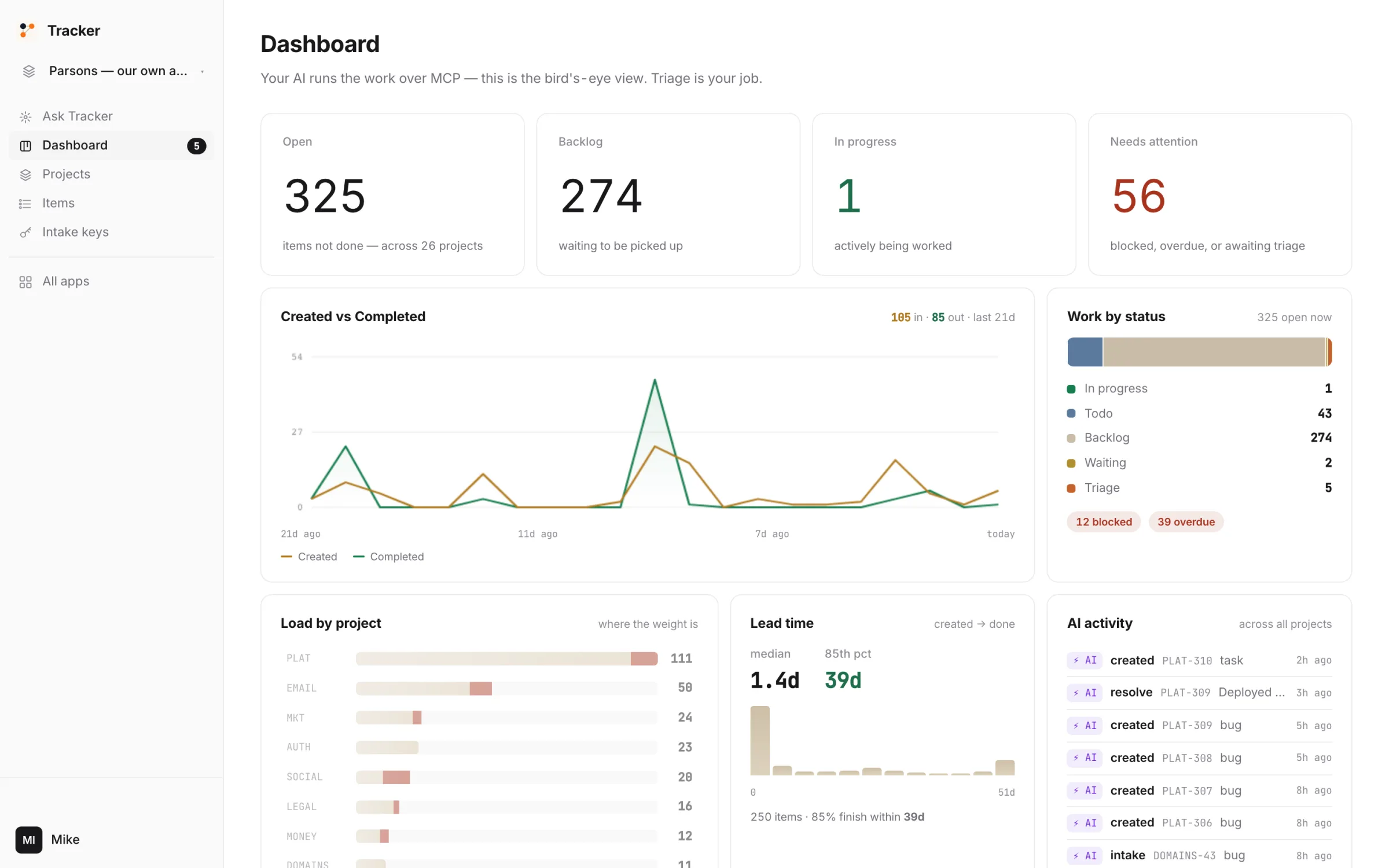
A dashboard that tells the truth
Created vs completed, load by project, lead time. The numbers an agent-run backlog actually produces.
next_workPLAT · claim_firstPLAT-311resolvePLAT-311doneThe claim loop
next_work returns one item and claims it. Two agents reading the same list never collide. A file can't do that.
Ask the board
Blocked, stale, overdue, who's on what — answered from the rows, not from a saved filter.
Intake keys
Write-only keys for the people and bots that report. They can file; they can't read.
purge_taskSITE-3 · without confirmrefusedpurge_taskconfirm: truegoneDelete is one step harder
resolve is easy. purge needs a confirm. An agent can't clear a backlog by misreading you.
It works your backlog. It cannot pretend it did.
- ×Purge anything without a confirmpurge_task refuses on the first call. The second call has to say confirm: true.
- ×Let an intake key read the boardIntake keys are write-only by construction. A leaked key can file spam; it cannot see a row.
- ×Give two agents the same itemnext_work claims atomically. The second caller gets the next one.
- ✓File, triage, claim, comment, resolve — as your AI or as you
- ✓Read every project, every item, every comment
- ✓Hand out and revoke intake keys
There is no security slogan on this page and no badge we haven't earned. Everything in that list is a thing you can check; the full mechanism and every tool are on the details page.
Fifteen dollars a month — and it isn't just this app.
Is it worth it? Start where we look worst.
One person, one tracker, no agent: a single seat elsewhere is cheaper than our $15. Here are the published seat prices.
Ours is $15 for the whole account, with agents and people both uncounted, and the same $15 runs CRM, Email, Deploy and the rest. Add a second person and the seat lines above double; ours doesn't. And there is no free tier because a tracker that sells your usage is a tracker you'll leave.